 Viral AI Trend
What is the Kong Kong King King AI video effect?
Kong Kong King King is a duo AI video effect built around one simple idea: two people share the same keyboard performance scene. Viral AI Trend helps you discover the effect, understand the visual recipe, and prepare your own version from two authorized portrait photos.
Try Kong Kong King King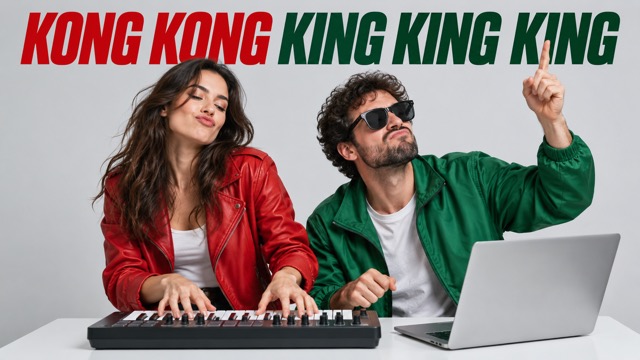
Viral AI Trend recommendation: use this effect when you need a fast, visually obvious duo concept and already have permission to use both portraits.
What the effect does
The template places two selected people into a recognizable keyboard and desktop scene. The two portraits become the left and right performers, while the template supplies the composition, camera rhythm, and playful relationship between the roles.
Who should use it
It is designed for friends, couples, creators making a collaboration, small content teams, and anyone who wants a short vertical video with an obvious two-person hook. It can be published as a TikTok, YouTube Short, or Instagram Reel after you review the result.
What Viral AI Trend provides
The effect page combines a real reference preview, a plain-language explanation, a two-photo input flow, usage notes, and a clear route to create. This makes the trend understandable before you spend credits or prepare your photos.
Before you create
- You have permission to use both portraits.
- Each image has one clear, visible person.
- You will review the generated video before publishing.
Frequently asked questions
Do both people need to be in one photo?
No. Use two separate, clear portraits and assign them to the left and right roles.
Can I use any person's photo?
Only upload photos you own or have permission to use. Review the result before publishing.
Does the effect guarantee a viral video?
No. It gives you a recognizable trend format. The hook, timing, caption, and audience still matter.
Ready to see the template in action?
Open the effect page to watch the reference, upload your two photos, and follow the same workflow.