An ordinary pickup becomes a fantasy
The passenger-window viewpoint makes the first moment feel familiar. The broom and the gap above the road supply the surprise. A glance toward the camera gives the face time to register before the rider leaves.
 Viral AI TrendCreate
 ONE PHOTO · MY RIDE IS HERE
Glide beside a car on a wooden broom, smile toward the passenger window, then fly away. Turn one clear portrait into a playful departure with a quiet road, forest, autumn neighborhood or city backdrop.
Create here · Seedance 2.5 on Replicate · review credits before generating
THE LOOK
The passenger-window viewpoint makes the first moment feel familiar. The broom and the gap above the road supply the surprise. A glance toward the camera gives the face time to register before the rider leaves.
The creator asks for hands on the handle and a seated rider who stays connected to the broom. A gentle flight path and light traffic leave room for the joke. Change the setting without adding flips, costume swaps or several competing actions.
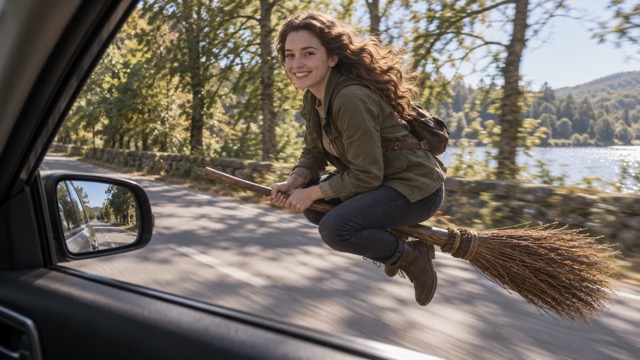
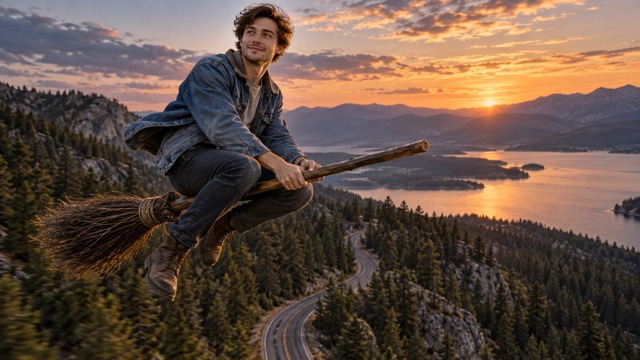
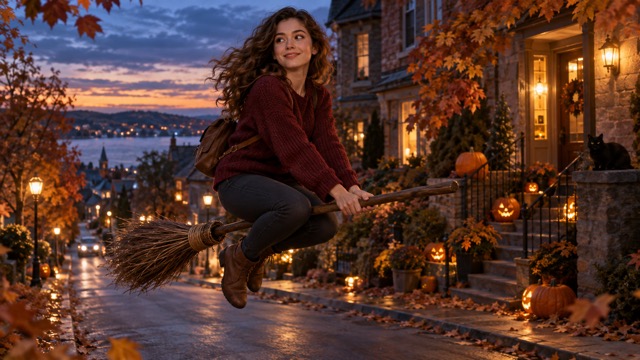
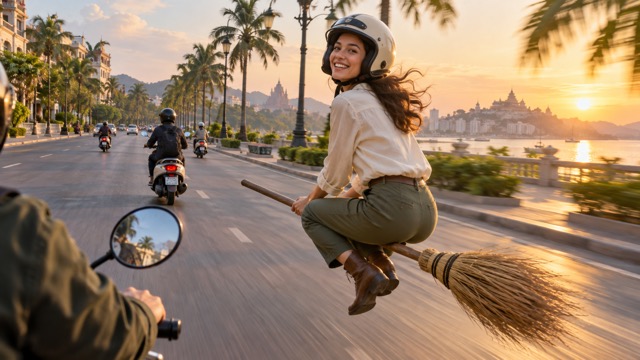
PHOTO GUIDE
One adult, waist-up or full body
HOW TO MAKE A BROOM RIDING AI VIDEO
Sign in and add one authorized adult photo. A waist-up or full-body view helps preserve clothing and seated posture. Use JPG, PNG or WebP up to 10 MB.
Choose your setting and landscape 16:9 or vertical 9:16 framing, then select 480p or 720p. Review the ten-second request and server quote before confirming.
Follow the task in this page’s video history, even after leaving and returning. Preview the completed MP4 and download it. Failed tasks return their reserved video credits.
CREATE ON VIRAL AI TREND
1 reference photo · 10 seconds · generated audio. Powered by Seedance 2.5 on Replicate.
Tasks stay here when you leave and return. Inspect the result before sharing.
Your finished video will appear here.
BEFORE YOU GENERATE
AI can change faces, objects and motion between frames. Review your finished video before sharing.
QUESTIONS, ANSWERED
It turns an ordinary pickup into a fantasy joke: a person arrives on a broom, acknowledges the camera and flies away. The unexpected ride is the central visual punchline.
No. One rider photo is required. The prepared direction creates the broom, car-window viewpoint and chosen surroundings.
Yes. Choose 9:16 before reviewing your quote. A 16:9 landscape version is also available. Check that the broom remains visible in the chosen frame.
Use a wider, sharper person photo and a quiet setting. The preset asks for one broom, hands on the handle and a gentle departure; inspect those connections across the finished clip.
The 10-second request uses 90 video credits at 480p or 200 at 720p. Review the exact server quote before confirming. General AI video wallet credits are a separate balance.
Failed tasks return the video credits reserved for that task. Your history stays under your account, and retrying the same submission does not reserve a second task.
YOUR NEXT LOOK